How to integrate LoRa and MQTT together? Here’s how it can be done.
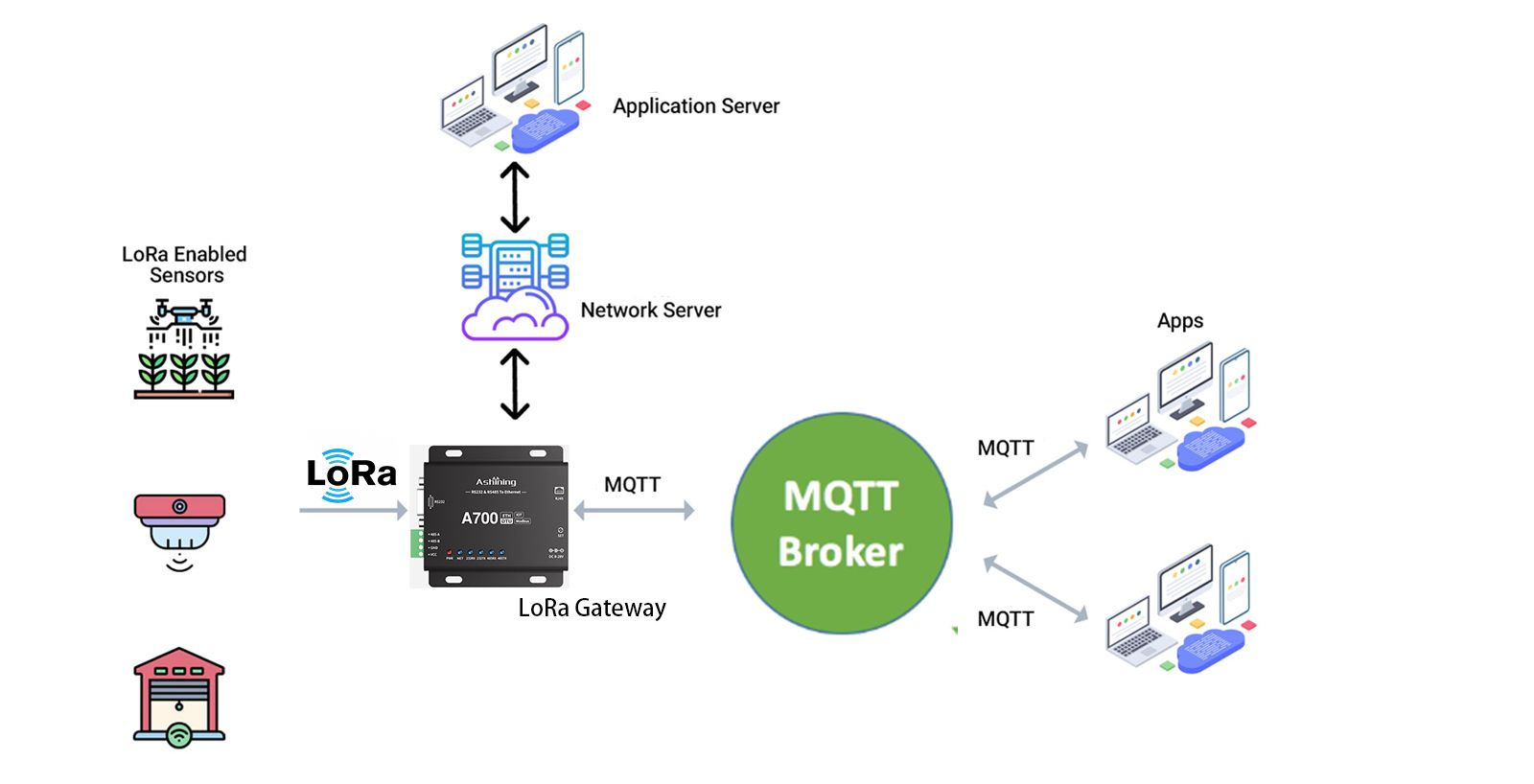
Steps to Integrate LoRa with MQTT:
1. Setup LoRa End Devices
Configure your LoRa sensors to send data to the LoRa gateway.
Ensure that the sensors are properly programmed to communicate using the LoRaWAN or private protocol.
2. Configure the LoRa Gateway
Install and configure a LoRa gateway to receive data from the end devices.
The gateway should be connected to a network server (like The Things Network or a private LoRaWAN server).
3. Network Server Configuration
The network server processes the data from the gateway and can be configured to forward the data to an application server or directly to an MQTT broker.
Popular network servers include The Things Network (TTN), ChirpStack, and others.
4. Bridge Network Server with MQTT
Configure the network server to forward data to an MQTT broker. This often involves setting up an integration.
For example, if using TTN:
Go to the TTN console.
Navigate to the application settings.
Set up an MQTT integration by specifying the MQTT broker details (host, port, username, password).
5. MQTT Broker Setup
Install and configure an MQTT broker (e.g., Mosquitto).
Ensure that the broker is accessible from the network server.
6. MQTT Client Implementation
Develop MQTT clients to subscribe to topics where the LoRa data is published.
These clients can process, display, or act upon the received data.
Summary
To integrate LoRa with MQTT, you need a LoRa gateway to capture data from LoRa end devices, a network server to process and forward the data, and an MQTT broker to facilitate message publishing and subscribing.